

Within the exchange, select the specific asset you’re trading. Below the chart, you’ll find the Current Orders tab, where you can view your open orders for that particular asset pair.Documentation Index
Fetch the complete documentation index at: https://docs.roxom.com/llms.txt
Use this file to discover all available pages before exploring further.
Can I cancel an open order?
Yes, you can cancel an open order. If it’s a limit order that has been partially filled, canceling it will only stop the unfilled portion from executing. The filled portion will remain completed.Can I edit an open order?
You cannot currently edit an open order.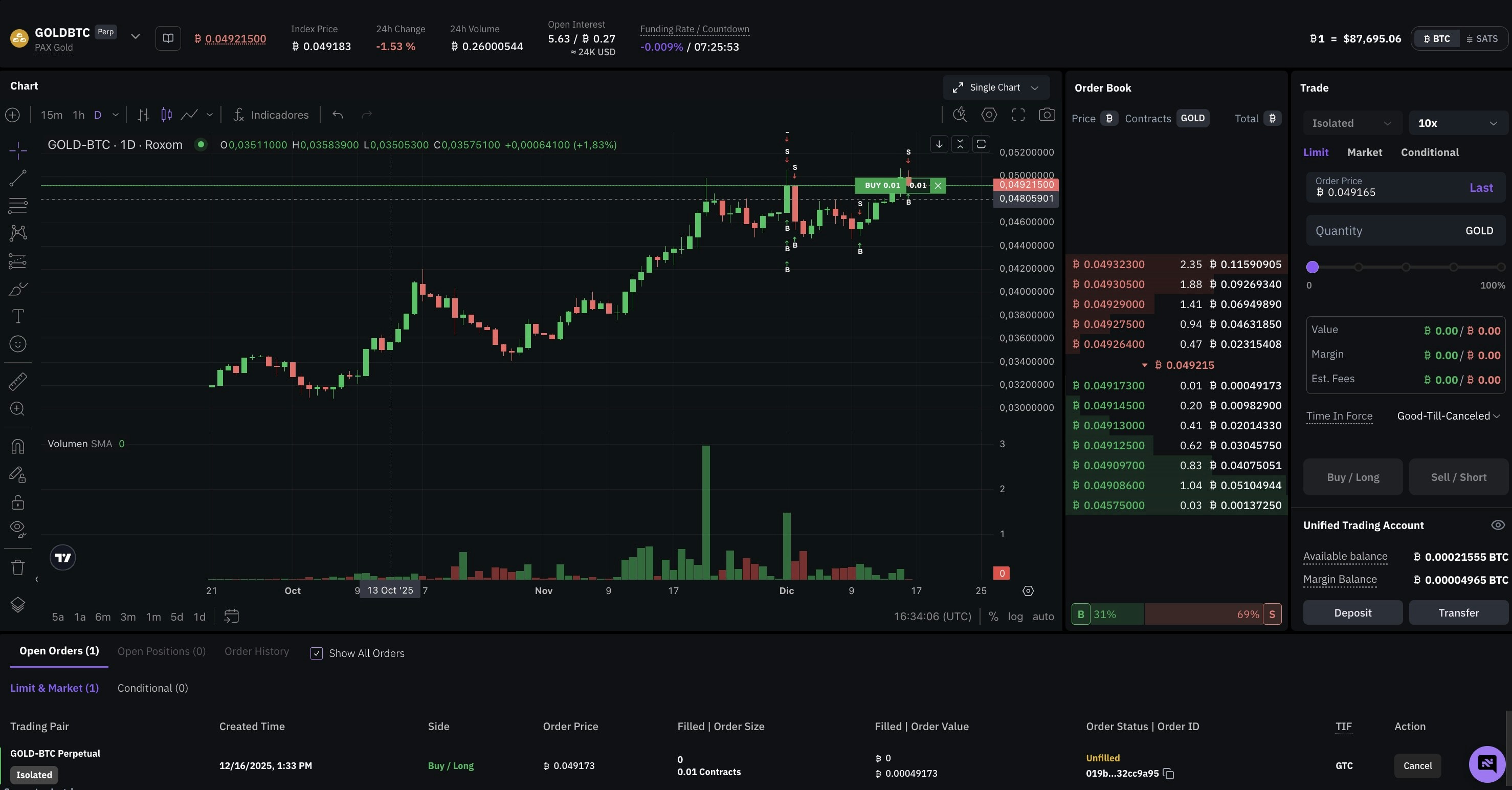
Take profit and stop loss (TP/SL) orders
Take Profit (TP) and Stop Loss (SL) orders appear in a dedicated TP/SL tab within Open Orders. From this tab you can:- View the parameters of each TP/SL order (trigger price, amount)
- Cancel TP/SL orders
To edit TP/SL orders, go to the Open Positions panel and click on the TP/SL value for your position.
Learn how to set up TP/SL on your positions in How to set take profit and stop loss.
Related articles
How to set take profit and stop loss
Open article
How to place and manage an order on Roxom
Open article